Habzell: A Guide to Goals, Habits and Puzzle Progress
By Ozcan Biyik ·
Learn how Habzell's Goals reveal puzzle pieces, how Habits and Focus differ, and how to create your first goal. Includes Free and Pro limits.
What is Habzell?
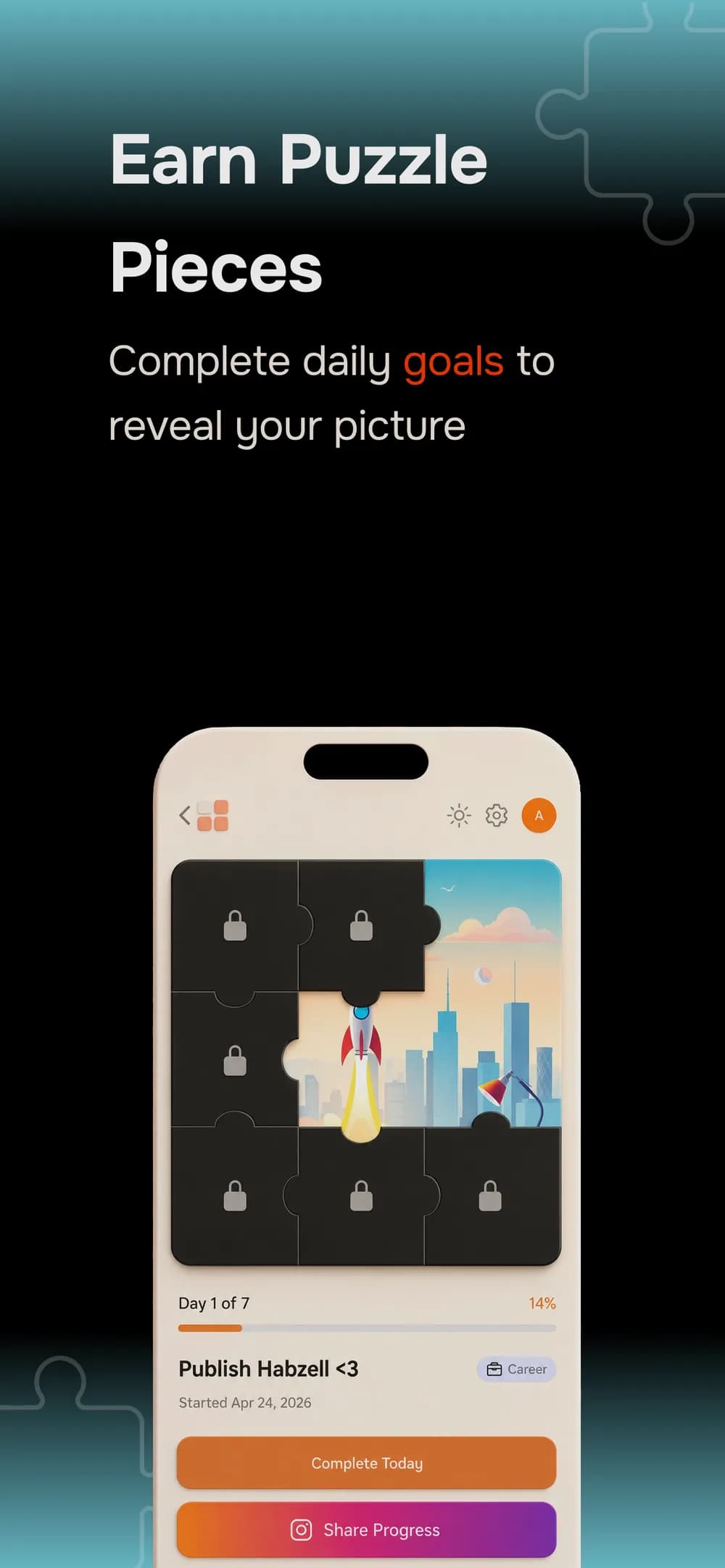
Habzell is a goal and habit tracking app with three distinct features: Goals, Habits, and Focus. Goals turn daily completions into a gradually revealed puzzle image. Habits track ongoing routines, while Focus supports timed sessions for activities such as studying or reading.
The puzzle belongs specifically to Goals. Completing an entry in the separate Habits tracker is not the same as completing a day of a puzzle goal.
I'm Ozcan Biyik, Habzell's developer. This guide explains that distinction, walks through creating a first goal, and outlines the Free and Pro limits so you can choose how to get started.
Goals, Habits and Focus: which should you use?
Choose the feature that matches what you want to track:
- Goals have a duration of 7 to 90 days and a puzzle image. Use a Goal for a defined commitment, such as a month of daily reading.
- Habits are ongoing daily trackers with streak counts. Use a Habit for a routine you want to keep recording without choosing a finishing date.
- Focus provides timed sessions for dedicated work or practice. Use it when the time you spend on an activity matters to your routine.
A reading routine can fit any of these, depending on your intention. A reading challenge belongs in Goals; a continuing reading calendar belongs in Habits; a distraction-free reading session fits Focus.
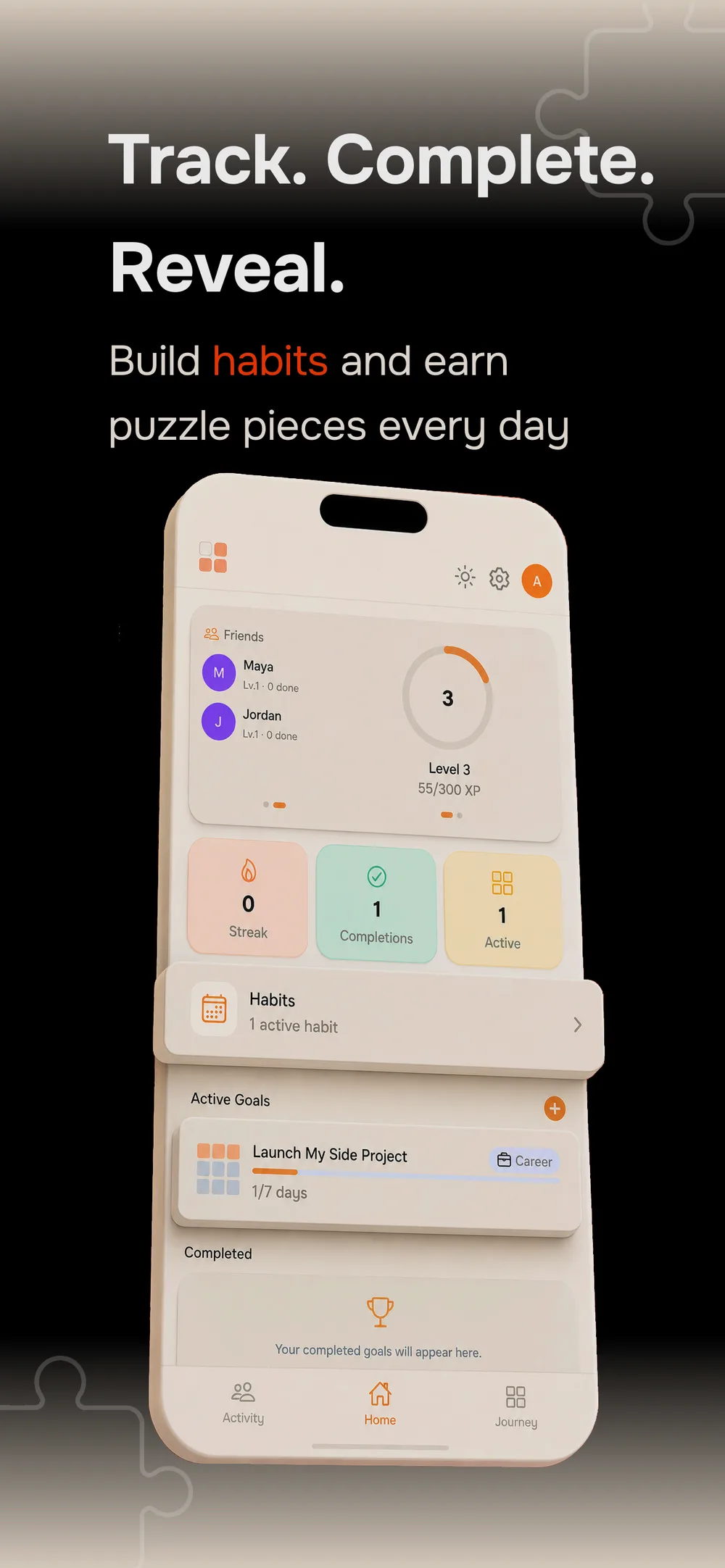
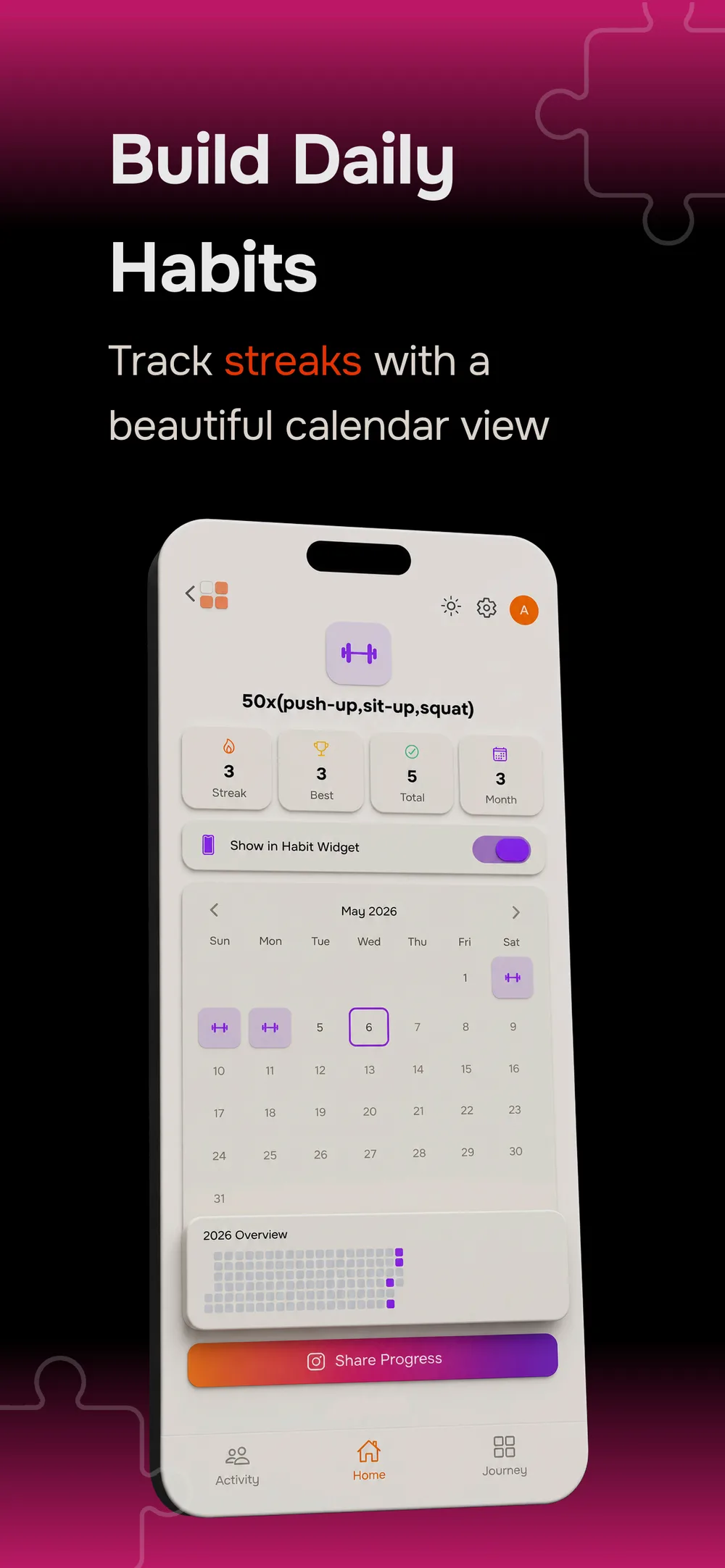
Habits use calendar stamps and streaks to record an ongoing routine.
How the puzzle system works
Each Goal has an image divided into a puzzle grid. As you record completed days for that Goal, pieces are revealed and more of the picture becomes visible.
The app selects the grid based on your chosen duration and shuffles the reveal order for each goal. You do not choose which piece appears next. The goal-creation preview shows the grid before you save, so you can see the layout for your commitment.
Puzzle progress and a streak describe different things. The puzzle records revealed pieces; a streak records consecutive completions. Previously revealed pieces stay visible even when a streak is interrupted.
Create your first goal
Start with one specific activity that you can clearly mark as done each day.
- Start a new goal. Give it a title and choose a category, such as Education, Fitness or Creativity. Use the description to explain what a completed day means for you.
- Choose a duration. Set a commitment between 7 and 90 days and review the puzzle preview.
- Choose the puzzle artwork. Free accounts can select a preset image. With Pro, you can generate custom artwork from a text prompt.
- Add a buddy if you want company. Inviting a buddy is optional; you can also work on a goal on your own.
- Save and complete your first day. After doing the activity, open the goal and record today's completion to advance the puzzle.
For a first goal, choose a title that describes an action. “Read for ten minutes” gives you a clearer daily check-in than “Read more.” The app records the completion you enter; you decide what doing the activity involves.
An example: a 30-day reading goal
Imagine creating a Goal called “Read for ten minutes” in the Education category. Set its duration to 30 days and choose a preset image. This is an example routine, not a reported user result.
Each evening, read for ten minutes and then record the day in the Goal. The puzzle gradually reveals your progress. If you also want an ongoing reading calendar beyond the challenge, the separate Habits feature serves that purpose.
Keep the two records distinct: the Goal follows your defined challenge and its puzzle, while the Habit follows your continuing routine. Choose the one you need first rather than adding several trackers before you have started.
What is free, and what requires Pro?
Free accounts include room for a small set of Goals, Habits and Focus habits. Pro increases those limits and adds custom puzzle artwork and timer durations.
| Feature | Free | Pro |
|---|---|---|
| Active Goals | Up to 3 | Up to 10 |
| Active Habits | Up to 3 | Up to 10 |
| Focus habits | 1 | Up to 5 |
| Focus timers | 3 preset durations | Custom durations |
| Puzzle artwork | Preset images | Custom AI-generated images from a text prompt |
Check the subscription screen in Habzell for the current price, billing period, renewal terms and any trial available to your account. Those details can vary by offer and region. The limits above describe the product information for this article's publication date.
Frequently asked questions
Does completing a Habit reveal a puzzle piece?
The puzzle is a Goals feature. Habits have their own calendar and streak tracking. To advance a puzzle, record the completed day in the corresponding Goal.
What happens if I miss a day?
A missed day can interrupt your current streak, but previously revealed puzzle pieces are preserved. A streak and the accumulated puzzle progress are separate records.
Can I choose my own puzzle image?
Free accounts choose from preset images. Pro adds custom AI-generated artwork made from a text prompt. That is different from uploading a photo: the custom artwork option described here is text-to-image generation.
Does Habzell have home screen widgets?
Yes. Habzell includes widgets for daily goal progress, streak counts, habit stamps and a mini puzzle preview, giving you ways to keep progress visible outside the app.
Where can I download Habzell?
Habzell has an iPhone App Store listing. This guide does not confirm a Google Play release; use the store links on the Habzell product page for available downloads.
Start with one goal
Choose an activity, decide what a completed day looks like, and give it a duration. A preset image is enough to try your first puzzle goal on the Free plan.
Get Habzell on the App Store, or explore the Habzell product page for more screenshots and features.
For information about data handling and usage terms, see the Habzell privacy policy and terms of service.